

After months spent mostly creating audio and video for you, it feels amazing to finally get to write something! When it comes to thinking about habit apps, this seems like the best format for the information, so I can include screenshots and link directly to where you can find out more.
I rarely go hunting for a new app, because one can easily descend into a pit of never-ending research and decision fatigue! Usually I find them through recommendations from others.
There is so much out there–much of it useful, but it helps to have someone explain WHY they use each one, as well as HOW. Here are my current faves:
1. FlyLadyPlus
(available on iPhone or via website–though I find the website a little more chaotic)
Habit: Housework Organization
Cost: Free (no ads)
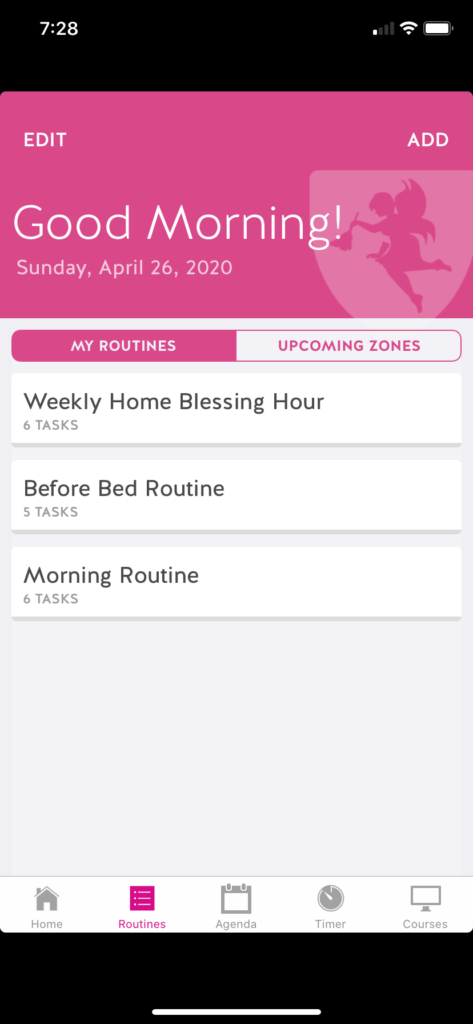
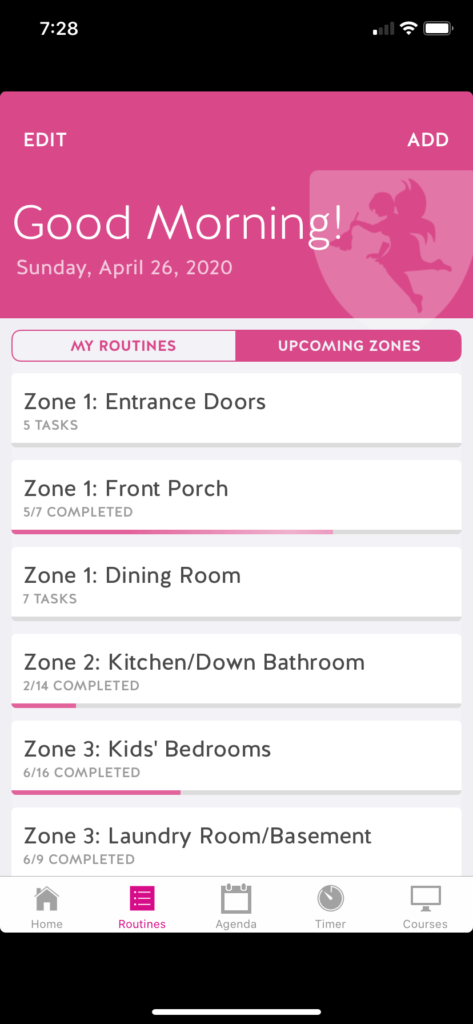
Probably most of you have already heard of FlyLady. I had as well, but I had never used her program much until one of my Simple Homeschool contributors wrote a while ago about how it had changed the vibe in her family’s home.
At that time, I had been searching for something to help me figure out what cleaning jobs to assign my kids. We have a morning chore time and there were so many days when I KNEW we had tasks that needed to be done, but couldn’t for the life of me remember what they were.
Enter FlyLady.
The key to making this app work has been, like with most other things in life, to adapt it to what we need most, as opposed to trying to adapt our family to fit the app! It works well for me as an introvert/HSP because it minimizes decision fatigue.
2 – Drink Water
(available on iPhone; here’s something similar for Android)
Habit: Guess! LOL
Cost: Free (with ads)
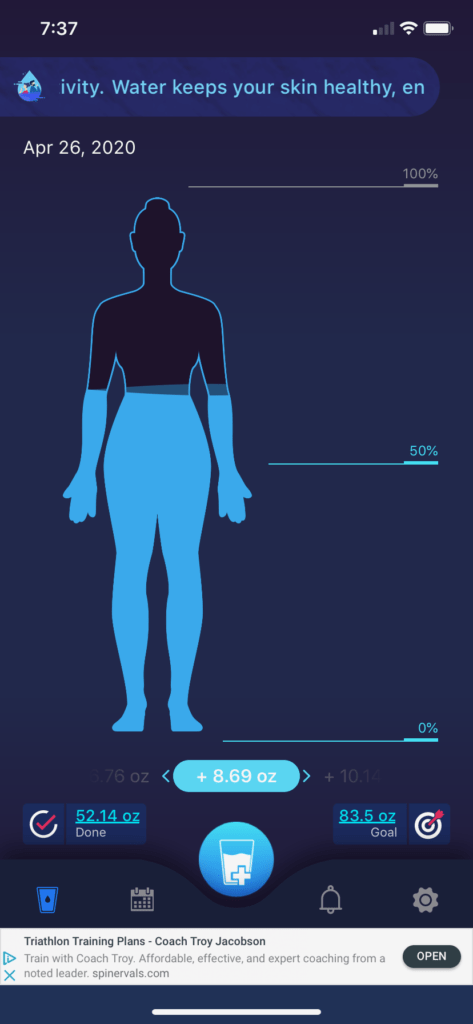
I joke with the kids that this app feels like a video game! Enter your gender, age, and weight, and the app calculates how much water you should drink each day.
You start out each day with an empty body, which you “fill” by tapping in whenever you drink water (or other beverages) and how much. It’s a fun way to form a habit that so many of us easily forget when life gets busy.
I don’t use this one every day, but it was very helpful when I wanted to make sure I was getting enough water; I still go back to it at times.
3 – Westminster Chimes Lite
(available on iPhone; here’s something similar for Android)
Habit: Prayer/Presence
Cost: Free (no ads; extra sounds for $1.99)
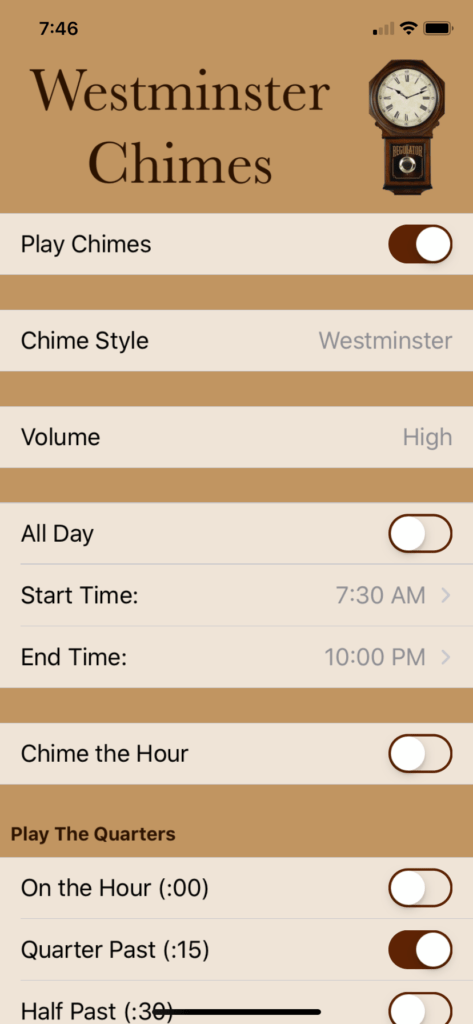
I stumbled upon this app when I was looking for something to bring me back to the present moment (and away from all those thoughts I can get lost in as an INFJ!). I also use it to remind me to pray for something or someone throughout the day.
I love the comfort of the chiming sound. I once used this on a daily basis, but after a while I found the chimes faded into the background of my attention.
It works best for me to turn it on when I know I’m praying for a specific need, or when I really need it as a reminder on a specific (i.e. HARD) day to not get stuck in my thoughts.
4 – Workout for Women
(available on iPhone and for Android)
Habit: Exercise
Cost: Free (with ads)
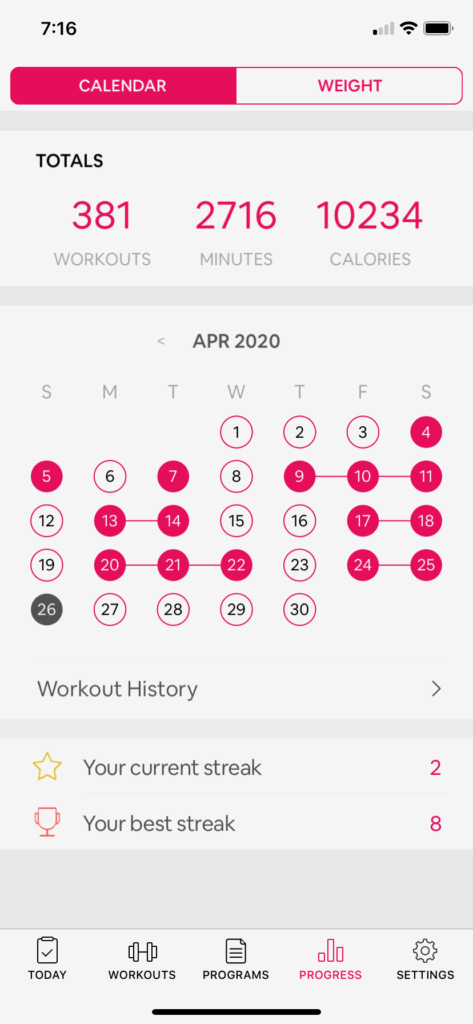
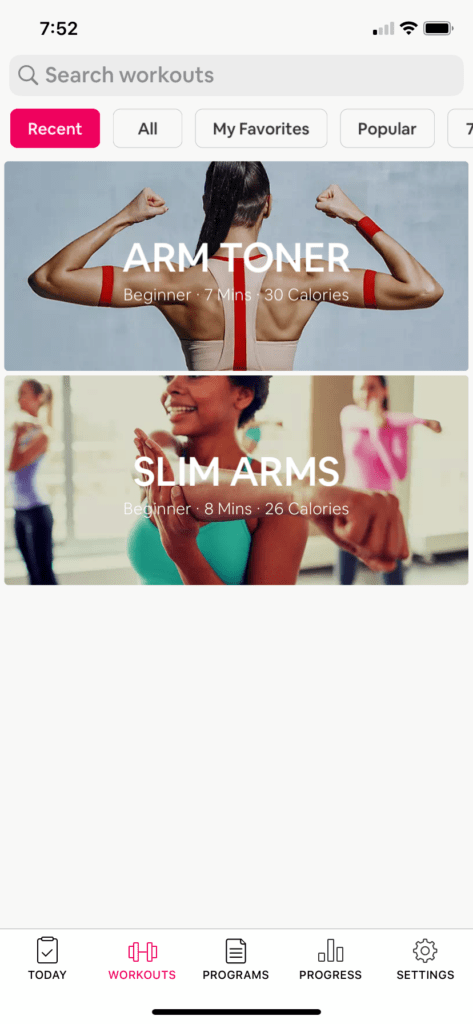
I discovered this app about a year ago when I wanted to begin some arm-strengthening and toning.
I love that it has so many seven minute (or less!) workout options–from cardio to toning, and even yoga. Using this app, I formed a new habit to do 15 minutes of arm exercises in the evenings (at least 4xs/week) when we watch tv as a family.
I started out with just a few minutes and no weights, then progressed slowly to where I am now, using 3 pound weights. I love that the app keeps track of your lifetime workouts and minutes; it’s so satisfying to “get credit” and see it add up!
5 – Workflowy
(available on iPhone, for Android, and via website)
Habit: To-Do List Organization
Cost: Free – as long as you don’t go beyond a certain number of tasks – I never have (no ads)

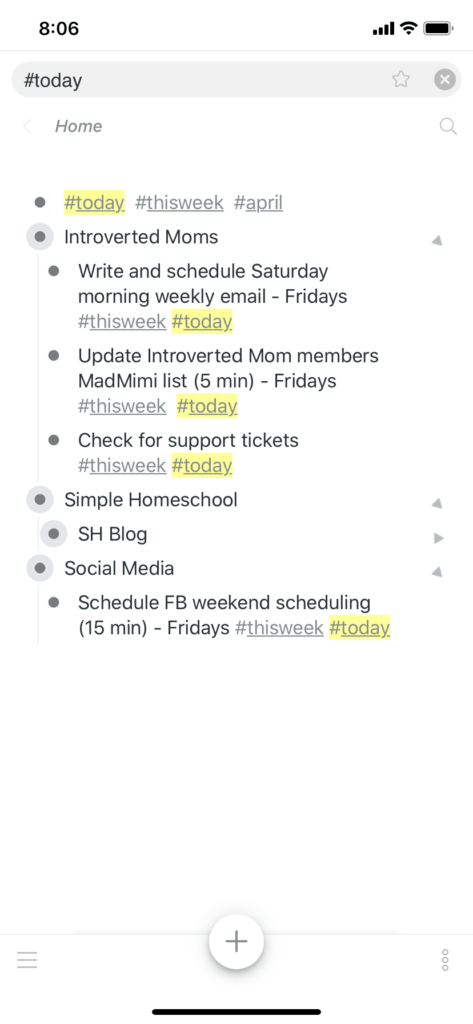
This app (and the corresponding website) is the answer to your to-do list overwhelm!
Its simplicity is why it works so well for me. It allows you to create different categories and enter your tasks within them.
The beauty of Workflowy, though, is the hashtags.
Create any that you want (I use #today, #thisweek, #may, #june, etc.), then tag each item on your list with the appropriate hashtag. This means that when I want to see what I need to do TODAY I just tap the #today hashtag–everything else stays hidden!
It’s perfect for the introvert or HSP who struggles with feeling overwhelmed when looking a long list. (Hand raised here!) I also love how you can cross off tasks and make them disappear, so your list stays so clean–unlike a handwritten one.
The five apps above are my absolute faves at the moment, but here are a few more notable mentions:
* Voxer (introvert-friendly chatting; send and listen to messages to & from friends when it works for you–as opposed to getting interrupted by a ringing phone!)
* Pray As You Go (a daily audio devotional combining music and Scripture)
* Productive (good for to-do lists if you like seeing a “streak” form for tasks; I use this to keep track of my teenage son’s homeschool work–see pics of it in this post)
* Explore (a recent favorite discovery–not so much for habits, but so fun! Features live animal cams from around the world–sometimes I let my kids choose one after finishing a lesson; sometimes I just have puppies open non-stop on my desk!)
And there you have it, friends. I hope you’ve found at least one new app that’s worth downloading, one that might actually simplify instead of complicate your life!
I’d love to hear about any apps you love as well, particularly those that have helped you with the habits you most want to develop. Head here on the forum to share your recommendations or ask questions/chat about the above!