
So sorry, friends! I was wrong earlier when I stated that you could change your Display Name for the forums, but f you want that changed, just email and I can change it to your First Name for you!
1- Log into the Member Dashboard.
2- Click the “Forum” icon.
3- To add a photo to your profile, head to the upper right hand corner and click your username. The dropdown will look like this:
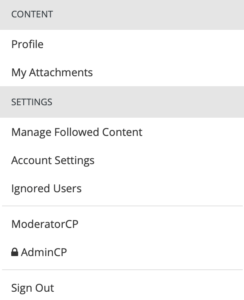
4- Choose “Profile” from the Dropdown, and then you’ll see where you can add a photo and/or other details!